
Sponsor Logo Submission Guidelines
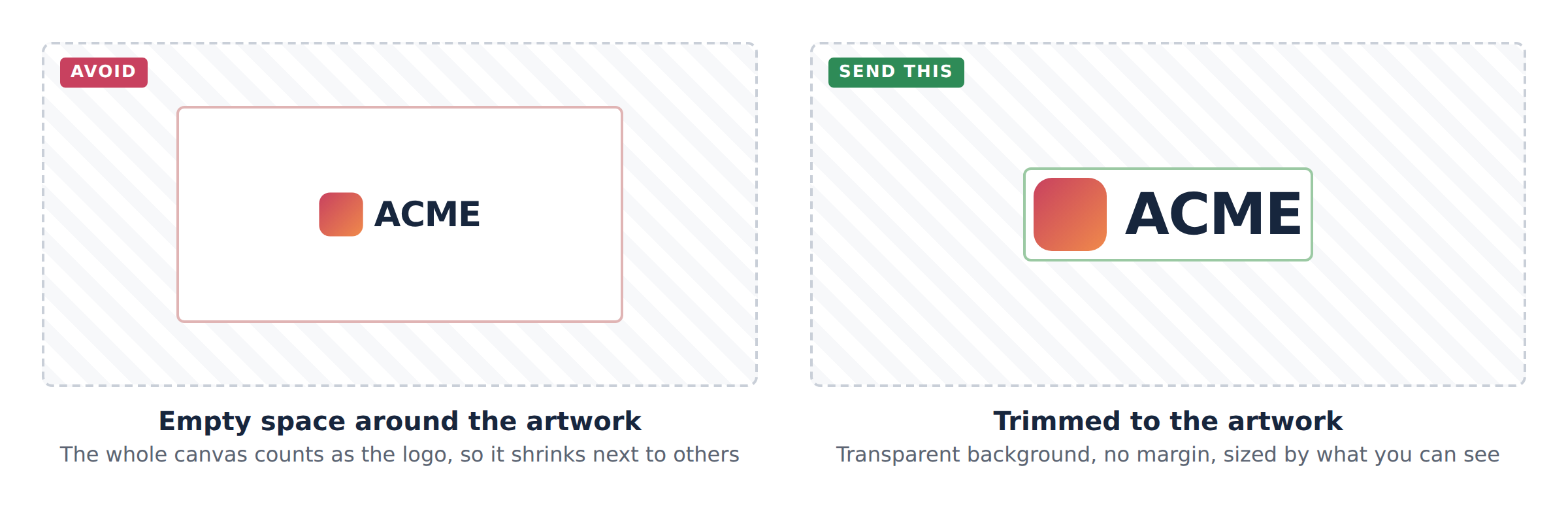
Thank you for sponsoring a BizWest event. Your logo will appear on the event website alongside other sponsors, sized and arranged automatically. The guidelines below make sure it looks as good as the others. Most logos we receive need only one change: trimming the empty space around them.
The short version
Send this
- PNG with a transparent background, or an SVG
- At least 1,200 pixels on the longest side
- Trimmed to the artwork, with no margin
- The horizontal version of your logo, if you have one
- Full colour
Please avoid
- JPG files, or any logo on a white or coloured box
- Screenshots, or a logo copied from a website
- Empty space around the logo
- Small files that go soft when enlarged
- Files named logo-final-v3.png
The details
1. Format: transparent background
Each event site has its own colours, and sponsor rows sit on tinted bands as well as white. A logo on a transparent background works everywhere; a logo on a white box shows as a white box. Send a PNG with transparency or an SVG. If you only have a JPG, your designer or marketing team will have the original.
2. Size: large enough to never go soft
Send the largest version you have: at least 1,200 pixels across for a horizontal logo, and vector (SVG, EPS or AI) if it exists. We never enlarge a small file, so a 200-pixel logo will stay small and blurry.
3. Trim: no empty space around the artwork
This is the one that matters most. The site measures the whole image, not just the visible mark, so a logo with a wide margin is shown smaller than one without. Crop to the edges of the artwork before sending. Your logo will get its own breathing room on the page.
4. Shape: horizontal where possible
Sponsor rows mix many shapes. A horizontal (landscape) lockup reads best next to others. If you have both a horizontal and a stacked or square version, send both and we will use whichever suits the row. A very tall logo is the hardest to place well.
5. Colour: full colour, plus a single-colour version if you have one
Send your standard full-colour logo. A white version and a dark single-colour version are useful for dark backgrounds and are welcome as extra files.
6. Name the file
Use your company name in the file name, for example Acme-Bank-logo.png, so it is easy to find in our library and reuse across events.
7. Tell us where it should link
Include the web address your logo should link to, and the exact company name as it should appear. The name is used as the logo’s description for screen readers and search engines, so spelling and capitalisation matter: UCHealth, not uchealth.
Checklist before you send
- PNG with transparent background, or SVG
- At least 1,200 px on the longest side, or vector
- Trimmed, with no empty space around the artwork
- Horizontal version (plus stacked or square if available)
- Full colour, plus white or single-colour versions if available
- File named with your company name
- Link address and exact company name included
Sending your logo
Email your files to your BizWest event contact, or reply to the sponsorship confirmation you received. If anything here is unclear, send what you have and we will tell you what we need.